ChippyTime

The official website for ChippyTech.

Author: ChippyTech

  • GPT-3.5 Story

    Note: This retrospective is on GPT-3.5, not any other OpenAI language model.

    This is a retrospective on what it was like to use GPT-3.5 during its peak, why it caused so much frustration, and how that experience shaped my view of AI, tooling, and infrastructure.

    How It Started

    When I first discovered GPT-3.5, it felt revolutionary. An AI that could write, explain code, answer questions, and help with technical problems sounded incredible. I expected something that could assist with real-world projects.

    Instead, I walked into the roughest era of modern AI.

    Confidently Wrong Information

    GPT-3.5 didn’t just make mistakes — it made them confidently.

    • GPT-3.5 incorrectly claimed that MyOwnFreeHost does not have an API, even though an API has existed since January 2021.
    • It falsely stated that the API was introduced later, despite documentation being available since early 2021.
    • GPT-3.5 said Blooket did not have a game mode called “Crypto Hack,” even though it has existed since July 2021.
    • It incorrectly claimed that “Crypto Hack” was introduced after its September 2021 knowledge cutoff.
    • It demonstrated inconsistency by knowing about Blooket’s “Tower Defense” game mode but not “Crypto Hack,” despite both existing during the same period.
    • It hallucinated broken URLs that led to 404 pages.
    • It invented features, services, and product history details that were not true.

    Worse, it would hide behind phrases like:

    “As of my last knowledge update…”
    “As an AI language model…”

    Those phrases didn’t add caution — they added false confidence.

    Made-Up Services and Categories

    Some hallucinations were borderline absurd:

    • Suggesting Freenom as a subdomain redirect service.
    • Saying Freenom was an alternative to Freenom.
    • Inventing fake services like “FreeNomains.”
    • Recommending paid services like BeenVerified as “free.”

    These weren’t edge cases — they happened constantly.

    The Windows 3.1 “Alternate Solutions” Incident

    One of the clearest examples of GPT-3.5 completely losing the plot happened when I asked about modern web browsing limitations on Windows 3.1.

    Instead of explaining the real, well-known technical constraints, GPT-3.5 suggested a list of so-called “alternate solutions” that had nothing to do with the problem.

    • It suggested emulating Windows 3.1 inside a modern web browser as a workaround.
    • It implied that running Windows 3.1 in a browser somehow solved browser compatibility.
    • It bizarrely mentioned physical clocks with biometric scanners as a related solution.

    None of these suggestions made sense.

    Emulating Windows 3.1 inside a browser does not magically enable modern web browsing. It simply recreates the same limitations in another environment.

    Likewise, physical clocks, biometric scanners, or authentication hardware have absolutely no relevance to:

    • 16-bit operating systems
    • legacy TCP/IP stacks
    • lack of TLS support
    • browser rendering engines
    • HTML, CSS, or JavaScript compatibility

    The real reasons Windows 3.1 cannot browse the modern web are simple and documented:

    • No modern encryption support
    • No contemporary browser engines
    • Severe memory and architecture limits
    • Incompatible networking and protocol support

    By presenting unrelated modern hardware concepts as “solutions,” GPT-3.5 demonstrated a recurring failure mode: combining vaguely technical-sounding ideas into an answer that appeared helpful, but was functionally meaningless.

    This wasn’t just incorrect — it actively distracted from the real explanation and made a straightforward technical limitation sound mysterious and complex.

    Broken Technical Understanding

    GPT-3.5 frequently mixed up entire layers of the web stack.

    • It suggested path-based “subdomains,” which is impossible at the DNS level.
    • It confused domain registrars with routing systems.
    • It claimed Fire OS lacked Android System WebView.
    • It implied Silk Browser replaced WebView (it does not).

    This became especially painful while I was fixing code for a subdomain service I built. I needed precision. I got architectural nonsense.

    Broken Code That Couldn’t Be Fixed

    GPT-3.5 regularly produced broken code:

    • Incorrect APIs
    • Outdated libraries
    • Missing imports
    • Invalid logic

    And when asked to fix it, it often:

    • Repeated the same broken solution
    • Invented new functions
    • Claimed the code “should work” when it didn’t

    Hardware and Device Chaos

    One of the worst moments was when GPT-3.5 gave me a Konami-style remote control sequence to enable developer mode on a TV.

    Instead of enabling anything, it rebooted the device.

    It had no sense of risk when giving device-level instructions.

    Trying to Get It Fixed

    For months, I tried everything to get OpenAI to change GPT-3.5:

    • Dislike buttons
    • Support messages
    • Developer forum posts
    • Reddit discussions
    • Trustpilot and Play Store reviews

    Nothing changed.

    But Wait, Can You…?

    Can you just make your own LLM?

    Technically, yes — you can train a small model. You can experiment with hundreds of millions of parameters, or even around a billion parameters, without spending millions of dollars.

    But that does not replace GPT-3.5. A small model trained by one person would not have the same breadth, coding ability, world knowledge, or general reasoning ability. It might be interesting, but it would not fix the actual problem: needing a reliable general-purpose assistant.

    Can you fine-tune GPT-3.5?

    Fine-tuning can be useful if you are building your own website, chatbot, device assistant, or application. It lets you customize behavior for your own use case.

    But it does not change GPT-3.5 for everyone. It does not modify the public ChatGPT model, and it does not fundamentally fix the base model’s hallucinations. It only affects the fine-tuned model you use through the API.

    Can you use MoE to reduce the cost?

    Mixture-of-Experts can reduce the amount of computation used per token by activating only part of the model. But it does not eliminate the memory problem.

    The experts still have to exist somewhere. That means more total parameters, more storage, more complexity, and more difficult training and serving. If memory is already the bottleneck, MoE can make the situation worse.

    Can you use quantization or offloading?

    Quantization and offloading can help fit larger models into limited hardware, especially for inference.

    But they come with tradeoffs. Quantization can reduce precision or complicate training, and offloading to CPU memory or disk usually makes the model slower. These techniques help manage limits, but they do not make frontier-scale training suddenly affordable.

    Can you just use Common Crawl because it is free?

    Common Crawl is free to access, but not free to process at scale.

    You can download data from data.commoncrawl.org and process it yourself, but that requires serious storage, bandwidth, CPU time, and patience. If your own hardware cannot handle it, you end up paying cloud providers for compute, temporary storage, processed outputs, and pipeline artifacts. Can you use a smaller, specialized model?

    A smaller specialized model can work for narrow tasks, but it is not a drop-in replacement for a broad assistant.

    Training on one specific topic may reduce some errors in that area, but it also makes the model brittle outside that scope. It does not recreate broad pretraining, instruction tuning, alignment, or large-scale validation.

    Can you just ask OpenAI to fix GPT-3.5?

    That was exactly what I tried to do.

    I used dislike buttons, support messages, developer forum posts, Reddit discussions, Trustpilot reviews, and Play Store reviews. The goal was not just to complain. The goal was to get the problems noticed by someone who could improve the model.

    But model changes do not happen instantly because one user reports a problem. From the outside, it felt like shouting into the void while still being stuck with the same unreliable tool.

    Can you stop using GPT-3.5?

    Eventually, yes. At the time, not really.

    Many so-called alternatives were either built on GPT-3.5, used weaker backend models, had strict limits, or worked more like search wrappers than real assistants. If I wanted the same fluency and flexibility, I usually ended up back at GPT-3.5 or something using it indirectly.

    Is GPT-3.5 a “100,000+ quadrillion” parameter model?

    No.

    GPT-3 was widely reported as having 175 billion parameters. GPT-3.5 was an improved model in that general family, not an astronomically large “100,000+ quadrillion” parameter system.

    The problem with GPT-3.5 was not that it was secretly infinite or impossibly huge. The problem was that even a large model can still be confidently wrong without enough grounding, alignment, and reliability.

    The “Just Build Your Own LLM” Myth

    A common response I received whenever I criticized GPT-3.5 was:

    “Just build your own model.”

    In theory, that sounds empowering. In reality, it is completely detached from the financial and technical constraints of normal individuals.

    The truth is simple:

    • Training even a small, modern LLM costs millions of dollars.
    • Data storage alone can cost hundreds of dollars per month.
    • Compute requirements scale far beyond consumer hardware.
    • Grants are aimed at institutions, not individuals.
    • Crowdfunding does not solve ongoing infrastructure costs.

    Unless you are a billionaire, a major corporation, or someone with access to large-scale research infrastructure, “just build your own LLM” is not a real option.

    For practical purposes, the advice boils down to:

    “You can do this — unless you are Elon Musk.”

    This framing ignores reality. It assumes unlimited capital, free access to compute, and the ability to absorb six-figure monthly costs without consequences.

    For normal people with bills to pay, this advice is not empowering — it is dismissive.

    The emergence of open-weight models, hosted inference platforms, and local runtimes years later finally made experimentation possible. But at the time, building a personal LLM was effectively impossible.

    Trying to Escape by Building My Own AI

    Eventually, I tried to replace it entirely.

    That’s when reality hit:

    • Common Crawl storage alone cost ~$400/month.
    • Every cloud provider had similar pricing.
    • Training even a basic LLM costs millions.
    • IPFS was impractical.
    • MoE experiments were unstable.

    Important: Grants technically exist, but they are not meant for individuals. They are designed for institutions, labs, and funded organizations — not people with bills to pay.

    Dead Ends Everywhere

    I even emailed Common Crawl directly.

    Their response was essentially:

    “Try using a single crawl.”

    That still meant terabytes of data and real money.

    A Reddit post titled “Common Crawl isn’t free” didn’t go well either. People argued theory. I was talking about cost.

    The Emotional Toll

    At the worst point:

    • I seriously regretted ever finding GPT-3.5.
    • I thought about making a negative video.
    • I briefly considered legal action.
    • I even thought about crowdfunding.
    • I was angry enough to almost break my computer twice.

    I was frustrated enough that I even looked into legal options, only to realize that in 2023, the ‘Terms of Service’—which were largely repurposed from old API documentation written before ChatGPT even existed—were being used as a shield to excuse the machine for wasting a developer’s time with confident hallucinations.

    This wasn’t about drama. It was about being completely out of options.

    The Myth of “Common Crawl Alternatives”

    After running into the cost wall with Common Crawl, I tried to find alternatives. Surely there had to be another large-scale public web dataset, right?

    That assumption turned out to be wrong.

    What many articles and discussions label as “Common Crawl alternatives” are not actually web-scale datasets at all. Most of them fall into one of these categories:

    • Search engines that expose query APIs, not raw data
    • Curated feeds focused on news or blogs
    • Academic datasets that are old, incomplete, or narrowly scoped
    • Archives designed for human browsing, not machine training

    None of these replace what Common Crawl provides: a continuously updated, web-scale snapshot of the public internet.

    Even well-known datasets like:

    • Wikipedia dumps
    • ClueWeb
    • Webhose-style feeds
    • The Internet Archive

    either lack scale, suffer from severe bias, are legally complex, or are simply not practical for modern LLM training.

    It Wasn’t “Just AWS” Charging Me

    One common misconception is that the cost problem is specific to AWS. It isn’t.

    AWS’s Open Data program can host the raw Common Crawl dataset without charging you to store their copy. But once you begin doing anything useful with it—extracting text, filtering, deduplicating, tokenizing, or producing training shards—you generate new data under your account. That derived data (plus scratch space, logs, and outputs) is billed like normal storage.

    Processing the hosted dataset does not cost storage fees — AWS already pays to host the raw copy. But the compute required to process it is not free, and neither is any derived data you choose to keep. The dataset may be hosted, but building something usable on top of it still costs money.

    When I priced out a realistic workflow, the storage costs for processed datasets and pipeline artifacts were consistently expensive across providers:

    • AWS S3
    • Google Cloud Storage
    • Azure Blob Storage
    • Other S3-compatible providers

    Even before training, storage for a minimally usable pipeline ranged from roughly $400 per month to thousands of dollars, depending on how much data you kept and how many intermediate artifacts you had to generate.

    And that was before the rest of the bill:

    • Compute
    • Bandwidth egress fees
    • Indexing
    • Preprocessing
    • Deduplication

    So no—this wasn’t an “AWS problem.” It was an infrastructure reality problem.

    You Can’t Avoid the Data Problem

    Another popular claim is that you can simply skip large datasets and still build a capable model.

    In practice, that leads to one outcome:

    • A small, undertrained model
    • Limited reasoning ability
    • Poor generalization
    • High hallucination rates

    Without massive, diverse data, you don’t get a “modern LLM.” You get what is effectively a 100M-parameter toy model that struggles outside of narrow demos.

    These models can be interesting for experimentation, but they do not replace production-grade assistants. They cannot reason reliably, recall broad knowledge, or handle real-world technical questions.

    a In other words:

    You don’t avoid Common Crawl and get a modern LLM. You avoid Common Crawl and get a junk model.

    This isn’t a failure of creativity or engineering. It’s a consequence of scale.

    I Tried Modifying nanoGPT

    After realizing that training a full modern LLM required unreasonable resources, I experimented with smaller open-source training frameworks like nanoGPT. The idea was simple: maybe a smaller model + efficient code + custom data could be enough.

    In practice, this ran into fundamental limits:

    • nanoGPT is great for **toy problems and learning**, not real-world language modeling at scale.
    • Even with optimized code, it can only train models effectively on **tiny corpora**.
    • Without massive high-quality data (Common Crawl or equivalent), the resulting model lacked depth.
    • Training iterations still required significant compute time even on modest hardware.

    This is why you often see nanoGPT used for:

    • demonstrations
    • proofs of concept
    • educational purposes

    …rather than production-ready assistants. The result of those experiments was a humbling realization: even optimized open-source training code doesn’t overcome the core data + compute requirements. **No amount of clever engineering makes up for the absence of diverse, large-scale data.**

    The Myth of “Good ChatGPT Alternatives”

    Around the same time, I also looked for alternatives to ChatGPT that:

    • actually understood context
    • gave reliable answers
    • didn’t hallucinate wildly
    • didn’t hide behind generic disclaimers

    Most offerings at that time fell into one of these buckets:

    • Tools built on GPT-3.5 that still behaved like GPT-3.5
    • Models marketed as “AI helpers” but using weak backend models
    • Search-plus templates that appeared intelligent but lacked reasoning
    • Proprietary assistants with strict limits, quotas, or frequent outages

    Even the ones that claimed to be “ChatGPT alternatives” were usually:

    • search aggregators dressed up as chat interfaces
    • AI wrappers that simply forwarded to GPT-3.5 or similar models
    • tools that were opinionated but wrong

    This meant there was no single competitor that:

    • had **the same fluency** as ChatGPT
    • had **better factual accuracy**
    • gave **consistent technical responses**
    • was affordable and open

    In short:

    What people were calling “alternatives” were really just **imitation UIs** on weak models or **search-first systems** with templated replies, not true conversational assistants.

    This clarified something important for me:

    • If you want something that *feels* as capable as a modern GPT model, you’re usually just using a **GPT model somewhere else**.
    • If you avoid GPT-class models entirely, what you get is powerful in its niche, but not a full assistant.
    • There simply was no true “drop-in better ChatGPT competitor” at that time — only variants of the same limitations.

    The Turning Point

    Original GPT-4 helped, but it still shared the same data limits.

    The real change came with:

    • GPT-4 Turbo
    • GPT-4o
    • OpenRouter
    • Open-weight models
    • Local runtimes like Ollama

    For the first time, AI felt reliable.

    Reality Check on Model Size

    It is also worth correcting a common exaggeration that circulated at the time. GPT-3.5 did not have “100,000+ quadrillion parameters.”

    The original GPT-3 architecture was widely reported to contain 175 billion parameters. GPT-3.5 was an improved iteration built on that general scale — not an absurdly astronomical number.

    While 175 billion parameters is enormous compared to:

    • 100M-parameter toy models
    • 1B–7B open models
    • Even many 13B models

    It is still a finite, engineered system — not an infinite intelligence.

    The frustration with GPT-3.5 was not about size inflation. It was about alignment, reliability, and training quality.

    Large parameter counts increase representational capacity. They do not guarantee correctness.

    The lesson was not that “big models are fake.” The lesson was that scale without sufficient alignment and grounding still produces confident errors.

    The “Just Train It on Something Specific” Advice

    Around the same time, friends and online commenters would often suggest:

    “Why don’t you just make your own AI and train it on something specific?”

    On the surface, this sounds reasonable. If GPT-3.5 was unreliable, then surely a smaller, specialized model trained only on carefully chosen data would be better.

    The answer was still no.

    Not because the idea was malicious. Not because experimentation is bad. But because it misunderstands what makes modern language models work.

    The Capacity Problem

    A narrowly trained small model does not magically become intelligent. If you restrict training to a tiny domain:

    • You lose general reasoning ability
    • You lose linguistic flexibility
    • You lose cross-domain understanding
    • You increase brittleness outside the training scope

    You don’t get a smarter assistant. You get a narrower one.

    The Scale Reality

    Even a “small” serious model requires:

    • Clean, diverse training data
    • Extensive preprocessing
    • Compute for multiple training runs
    • Evaluation and iteration cycles

    Without that scale, the result is typically a 100M–300M parameter toy model that can demo well but collapses under real-world questioning.

    Training on a specific task does not replace:

    • Broad pretraining
    • Instruction tuning
    • Alignment refinement
    • Large-scale validation

    The Architectural Misunderstanding

    What I needed was not a smaller model trained on fewer things. What I needed was:

    • A sufficiently capable base model
    • Grounded retrieval when necessary
    • Constraints to reduce hallucination

    Training a narrow model would not solve hallucination. It would simply relocate the failure mode.

    So when people said:

    “Just build your own and train it on something specific.”

    The answer remained the same:

    No.

    Not because it was impossible to experiment. But because it was the wrong solution to the problem I was trying to solve.

    Looking Back

    GPT-3.5 didn’t just frustrate me — it taught me:

    • How fragile early AI really was
    • How expensive infrastructure is
    • Why skepticism matters
    • Why timing is everything

    It even kickstarted my tech YouTube channel.

    Conclusion

    I don’t regret learning about AI.

    I regret discovering it during the worst possible phase.

    Now that the ecosystem has matured, the problems I fought for months have largely disappeared — not because I forced them to change, but because time did.© 2026 — A personal retrospective on early AI tooling


  • Top 13 List of YouTube content farms

    This is a list of some youtube content farms.

    IDChannel NameSpeculated Purpose
    1Name LookUploads videos showcasing human names.
    2Roel Van de PaarUploads videos from trending Stack Exchange questions.
    3Hey DelphiUploads conversational videos generated by a large language model about programming questions.
    4Webdriver TorsoUploads videos with random red & blue boxes to test YouTube video quality by Google.
    55-Minute CraftsMass-produces sensationalized, low-quality DIY “hacks” designed for high engagement and clickbait algorithms.
    6Bright SideChurns out high-volume, loosely researched riddles, top-10 lists, and pop-science videos using voiceover software and stock footage.
    7DadabotsRuns 24/7 continuous live streams of neural networks generating infinite AI music in various genres.
    8Cowbelly (and similar Reddit TTS channels)Automates the extraction of top Reddit threads and memes, paired with text-to-speech narration.
    9Various “Topic” Channels (e.g., [Artist] – Topic)Automatically created by YouTube to aggregate music tracks auto-generated from digital distribution feeds.
    10Like Nastya / Vlad and Niki networkChurns out localized, hyper-templated children’s videos re-dubbed into dozens of languages via automated workflows.
    11WHYS.video:
    Science · WHYS
    People · WHYS
    Health · WHYS
    Tech · WHYS
    Gaming · WHYS
    Entertainment · WHYS
    Automatically generates YouTube videos based on trending searches on Google Trends, and algorithms using Google Search, along with features like People also ask. Recently they also started using large language models to generate videos.
    12AskAbout.video:
    Ask About Home & Family
    Ask About Tech & Tips
    Ask About Life & How-To
    Ask About Money & Health
    Ask About Food & Facts
    Ask About Phones & Apps
    Ask About Wellness & Tech
    Ask About Parenting & Care
    Similar to WHYS.video, automatically generates YouTube videos based on trending searches on Google Trends, and algorithms using Google Search, along with features like People also ask, but with a more factual style. Recently they also started using large language models to generate videos.
    13English Mastery with Language.FoundationMass-produces short, highly repetitive language learning videos (definitions, pronunciations, simple sentence readings) automatically generated from dictionary databases, online language guides, and text-to-speech engines.

  • 4 Ways to Find Deleted YouTube Videos

    Ever gone back to watch a favorite YouTube video, only to find it’s been deleted, taken down, or made private? It’s frustrating — especially if the video held sentimental value, useful information, or content you can’t find anywhere else. The good news: a deleted video isn’t always gone for good. Here are four methods you can try to track one down.

    1. The Wayback Machine

    The Wayback Machine is a massive archive of the internet that regularly takes snapshots of web pages — including YouTube video pages. If you still have the original link to the video, this should be your first stop.

    How to use it:

    • Copy the original YouTube video URL.
    • Head to web.archive.org.
    • Paste the link into the search bar.
    • Browse the available snapshots by date. If you’re lucky, an archived version of the page may still have the video player working, or at least show you the title, description, and thumbnail.

    Keep in mind that the Wayback Machine archives the page, not always the video file itself, so results can be hit or miss depending on when the snapshot was taken.

    2. Google Search

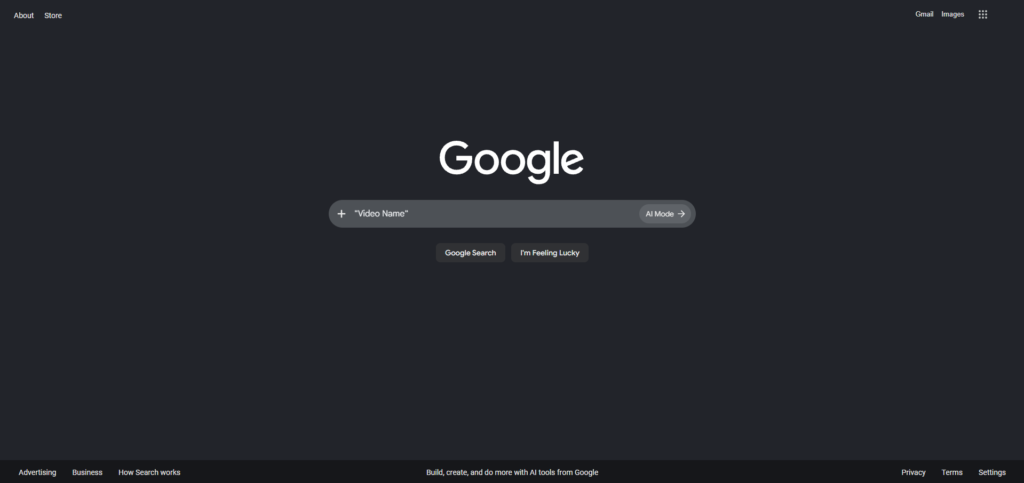
    Don’t underestimate a simple Google search. Even after a video is deleted from YouTube, Google’s cached data, mirror sites, or reposts can still lead you to it.

    How to use it:

    • Go to Google.com.
    • Type in the exact video title, or better yet, the video ID (the string of letters and numbers at the end of a YouTube URL, after v=).
    • Look through the results for cached pages, forum discussions, reaction videos, or reposts that might reference or even re-host the content.

    Searching the video ID specifically tends to work well since it’s a unique identifier that other sites may have indexed.

    3. Check Your Backups

    This one’s easy to overlook: if you ever downloaded the video, saved it locally, or backed up your device, the file might already be sitting on one of your drives.

    Where to look:

    • Local downloads folders or external hard drives
    • Cloud storage services (Google Drive, Dropbox, OneDrive)
    • Old phone or computer backups
    • Video editing project files, if you ever clipped or reused the footage

    It’s worth a quick search across your devices before assuming the video is lost forever — you might have saved it without even realizing it.

    4. Check Other Sites

    YouTube isn’t the only place videos live. Content creators often cross-post their work, and other users sometimes re-upload popular videos elsewhere.

    Places to check:

    • Internet Archive — Beyond the Wayback Machine, the Internet Archive hosts an enormous library of user-uploaded videos that may include a full re-upload of what you’re looking for.
    • Vimeo — Many creators mirror their content here as a backup platform.
    • Other social platforms — TikTok, Twitter/X, Reddit, or Facebook are common places where clips or full videos get reposted.

    A quick search using the video title or creator’s name across these platforms can sometimes turn up an exact copy or something close to it.


    Final Thoughts

    Losing access to a YouTube video you loved (or needed) can be frustrating, but it’s not always the end of the road. Between web archives, search engines, your own backups, and alternative video platforms, there’s a good chance you can track it down. Start with whichever method fits your situation best — if you have the original link, try the Wayback Machine first; if you only remember the title, Google search or other platforms might be your best bet.

  • The WHYS.video Saga (Part 3): A Deceased Lead, Unanswered Emails, and Human Pivots

    This is the third (and hopefully final!) installment in our investigation into the WHYS.video content farm network. What began as a look into automated video generation and shared Hetzner hosting has evolved into a fascinating case study in digital forensics. Today, we have critical updates regarding the network’s human operator, direct communications, and recent channel activity.


    1. The Hans Forbrich Connection: A Crucial Correction

    In my previous post, I highlighted historical domain and server links pointing toward a sysadmin footprint under the name Hans Forbrich. However, new records indicate that Hans Forbrich passed away in July 2023.

    This is a pivotal piece of the puzzle. Given that the network’s infrastructure has remained active long after 2023—including the coordinated server migrations in early 2026 and the recent “Mass Presence LTD” footer updates—control of Dibit, WHYS.video, and the associated assets was almost certainly transferred to a new operator, team, or administrator. The legacy setup endures, but someone else is now running the operation.


    2. Outreach and Radio Silence

    In the interest of direct verification, I attempted to contact the WHYS.video team using the official email address listed on their website. Over 20 hours have passed with no response.

    While not surprising for an operation built on automated web scraping and low-profile hosting, total silence fits the standard playbook for these networks when under public scrutiny.


    3. Ghost Channels and a Strategy Pivot

    Looking at the network’s video distribution channels reveals another intriguing shift:

    • Upload Cessation: All three main channels—WHYS.video, AskAbout.video, and Language.Foundation—abruptly halted their automated video uploads around 6 to 7 months ago.
    • The “Human Content” Shift: While WHYS and AskAbout remain dormant “ghost channels,” Language.Foundation recently broke the automated template pattern and began publishing actual human-produced content.

    Whether this signals a permanent pivot away from low-quality text-to-speech scraping or an attempt to legitimize high-performing assets in the portfolio remains to be seen.


    That wraps up this update on the WHYS.video ecosystem! Thanks for following along through every piece of technical evidence, domain mapping, and timeline analysis.

  • WHYS.video is even more scammy.

    If you thought the original iteration of WHYS.video was a masterclass in internet sketchiness, the recent website overhaul manages to raise the stakes. They haven’t just updated the paint; they’ve leaned into a hyper-polished, deeply hollow framework designed to simulate legitimacy while throwing up massive red flags under the hood.

    The bigger story is that WHYS.video appears to have evolved. It no longer looks like a simple Google-search-driven content farm. It now appears to combine the old model — harvesting questions and answers from Google Search, “People Also Ask,” trending queries, and other search surfaces — with modern AI slop generation. In other words, the operation has not abandoned Google search scraping. It appears to have layered AI-generated summaries, Q&A metadata, and synthetic site structure on top of it.

    Here is a technical breakdown of what is actually happening with the new WHYS.video.

    1. The Phantom Corporate Entity: “Mass Presence LTD”

    Update: There was an unrelated “Mass Presence Kft.” registered in Hungary, which dibit.net on our last blog post uses integrity.hu, a Hungarian email service. Interestingly, the Mass Presence Kft company is registered on 2021-05-06, with an industry of “Computer infrastructure, data processing, hosting and related services”, but the website is just a generic shell. We have a connection, but whether it is connected to WHYS.video is unknown.

    The updated footer claims the site is operated by Mass Presence LTD. Naturally, I started digging.

    The problem is that Mass Presence LTD has no obvious public footprint. A strict exact-match Google search for “Mass Presence LTD” returns no meaningful company presence. Companies House, the official UK company registry, does not show a matching record for Mass Presence LTD. The Wayback Machine has no useful historical records for masspresenceltd.com. ICANN Lookup also returns no obvious registration trail for masspresenceltd.com.

    That does not conclusively prove that Mass Presence LTD is fictional. It could theoretically be registered in another jurisdiction, spelled differently, newly created, or operating without a matching domain. But for a public-facing media platform claiming this entity as its operator, the lack of basic public traces is extremely suspicious.

    Legitimate operators usually leave behind some kind of trail: business filings, registry entries, tax records, a corporate website, business database mirrors, LinkedIn pages, job postings, support documents, archived pages, or domain registration history. In this case, the obvious checks all come up empty.

    Mass Presence LTD therefore looks less like a transparent company disclosure and more like a legitimacy layer: a corporate-sounding name placed into the footer to make the operation appear formal, accountable, and legally grounded.

    1. Aggressive “Vibe Coding” and AI Tropes

    The new front end screams “vibe coded.” It lacks a distinct brand identity and instead leans into the generic, over-polished AI web aesthetic that has become common with rapid-generation UI tools.

    The layouts, typography choices, category cards, animations, and overall structure feel less like the result of a real product roadmap and more like someone prompting a code generator until the interface looked expensive enough. It has the visual grammar of a startup, but not the substance of one.

    That matters because the redesign appears to serve a purpose: to make WHYS.video look like a serious knowledge platform, even though the underlying content behavior still resembles an automated search-capture machine.

    1. From Google Trends to AI Slop

    WHYS.video does not appear to generate topics randomly. The likely pipeline is more deliberate: identify trending questions through Google Trends, search those topics on Google, collect related questions from “People Also Ask,” then turn the results into simple narrated videos.

    This would explain the strange range of topics. The channel does not behave like a human-curated educational brand. It behaves like a machine watching search demand and converting whatever people are asking into quick video content.

    The process likely works like this:

    Google Trends reveals a rising topic or question.

    The operator searches that topic on Google.

    Google’s “People Also Ask” box provides related long-tail questions.

    The system collects or rewrites answers from Google results, snippets, or indexed pages.

    Text-to-speech turns the answer into narration.

    A simple video is generated using basic visuals, stock assets, templates, or automated graphics.

    The finished video is uploaded to YouTube.

    This model predates modern LLMs. WHYS.video has existed since 2019, so the earliest version likely relied on older automation: Google Trends, search scraping, templated scripts, text-to-speech, and simple video generation. More recently, large language models may have been added to rewrite answers, generate cleaner scripts, or produce more polished filler at scale.

    The key point is that WHYS.video likely did not start as an AI content farm. It appears to have started as a search-driven video farm, then evolved into an AI-assisted search-driven video farm.

    1. Mechanized Q&A and Synthetic Interactivity

    The site’s Q&A structure gives the impression of interactivity, but it does not feel like a real community or editorial system. It feels synthetic.

    The questions are not signs of an active user base. They appear to function as search hooks: short, direct, Google-friendly phrases that can be turned into pages, captions, descriptions, and video topics.

    This is where the operation becomes especially interesting. WHYS.video does not appear to be creating content because people follow the brand. It appears to be creating content because people search for isolated questions. The site catches those questions, converts them into answer-shaped pages, and then uses those pages to support video distribution.

    1. The Purpose of the Network: Turning Search Demand into YouTube Views

    The purpose of the WHYS.video network appears to be driving YouTube views, not building a traditional website audience.

    The likely strategy is simple: find what people are searching for, convert those questions into fast, low-cost narrated videos, and upload them to YouTube with titles that match search intent.

    The websites then act as support infrastructure. They provide searchable text pages, category archives, cross-links, metadata, and a branded wrapper around the videos. But the core product appears to be the YouTube upload itself.

    In plain terms, the network likely exists to turn Google Trends and Google Search questions into YouTube views.

    A trending topic appears. WHYS.video searches it, harvests related questions from Google’s “People Also Ask,” generates a short answer, converts it with text-to-speech, adds simple visuals, and posts the result on YouTube.

    That explains why the operation can publish across wildly unrelated subjects. It is not following an editorial mission. It is following search demand.

    1. Unintentional Self-Awareness in Content Curation

    The platform’s automated chaos is perfectly captured by its “Entertainment-WHYS” sub-channel. The first video thumbnail features a prominent >_< emoticon.

    In internet culture, >_< often signals frustration, error, discomfort, or intense confusion. It is an accidentally perfect mascot for the current state of WHYS.video.

    Whether it is a glitch in an automated thumbnail system, a careless design choice, or just another artifact of mass-generated content, it visually summarizes the experience: polished surfaces wrapped around confused, low-context, heavily automated output.

    1. The Ghost Town Social Graph

    For a platform claiming “mass presence” and presenting itself like a serious video knowledge brand, its social layer is nearly nonexistent.

    Its linked social accounts show extremely low traction:

    X/Twitter: 13 followers

    Facebook: 26 followers

    Instagram: 48 followers

    These numbers do not prove the site has no traffic. A search-driven content farm can get visits without building a social following. But they do show that WHYS.video does not appear to have a meaningful organic community.

    That distinction is important. The operation does not seem designed around subscribers, followers, or fans. It seems designed around search interception. The social accounts exist as legitimacy props, not as evidence of a real audience.

    1. The Bigger Pattern

    When viewed together, the pieces form a consistent pattern:

    The brand has existed since 2019.

    The older model appears to have relied on Google searches, search-result scraping, “People Also Ask” style questions, and templated answer content.

    Around 2023–2024, large language models likely made the answer-generation layer cheaper, faster, and more polished.

    The recent redesign appears to wrap that older search-driven system in modern AI-generated branding and interface polish.

    The network’s purpose appears to be driving views to YouTube by transforming Google search demand into video traffic.

    The supposed corporate operator, Mass Presence LTD, has no obvious public trail across Google, Companies House, Wayback Machine, or ICANN Lookup.

    This is not the story of WHYS.video becoming a legitimate platform. It is the story of an old content-farm strategy receiving an AI-era upgrade.

    The Technical Verdict

    The update confirms what the initial investigation suspected: WHYS.video has not matured into a real platform. It has modernized its machinery.

    The site appears to have moved from basic Google-search-driven scraping into a hybrid model that combines Google-derived questions and answers with AI-generated filler, automated Q&A structures, generic generated UI, and YouTube-focused traffic capture.

    The result is an algorithmic zombie: a network of sites designed to harvest search intent, generate answer-shaped content, and push viewers toward YouTube videos. The new branding, corporate footer, and polished interface do not resolve the old red flags. They simply make the operation look cleaner while the underlying incentives remain the same.

    Proceed with caution, or better yet, don’t give them the clicks.

  • A Technical Investigation of WHYS.video

    WHYS.video has operated under a veil of mystery since 2019. In this deep dive, I’ll break down the digital breadcrumbs—domain records, hosting choices, backend infrastructure, and suspiciously synchronized migrations—that strongly indicate a single shadowy operator behind WHYS.video and several other question-answer sites.


    1. Historical Domain and Website Footprint

    Wayback Screenshot

    The domain WHYS.video was registered on July 11, 2019, according to Whoxy, a free WHOIS API. Early snapshots on the Wayback Machine show a minimal “tag cloud” questions site, confirming the presence and design consistency from the outset.


    2. Discovery of Linked Domains

    A ViewDNS.info reverse IP lookup connected WHYS.video to three other domains on the same infrastructure:

    • askabout.video
    • language.foundation
    • dibit.net

    Each uses a similar “answers/help/explainer” style, suggesting a common playbook and possible unified control.


    3. Hosting and Registrar Patterns

    All four domains are:

    • Hosted on Hetzner servers
    • Registered via Name.com

    Such overlap is highly suggestive of coordinated management and central oversight.


    4. Backend Subdomain Insights (dibit.net)

    A subdomain scan on dibit.net exposes an organized backend:

    • mx1.dibit.net, mx2.dibit.net: mail servers
    • mysql.dibit.net: database endpoint
    • miner.dibit.net: likely a backend processing worker
    • theia.dibit.net, unity.dibit.net: internal services

    This supports the theory that all sites are propped up by a shared technical backbone.


    5. Web Technology Fingerprint

    whys.video and askabout.video both:

    • Use nginx
    • Load jQuery identically
    • Incorporate Google Fonts and APIs
    • Integrate Twitter/X widgets the same way

    Such matching integrations imply a reused web template or deployment toolkit.


    6. Email Infrastructure

    SecurityTrails reveals dibit.net’s email (MX) records tie back to integrity.hu, a Hungarian email service—more evidence of deliberate, centralized IT decisions.


    7. DNS Records and Coordinated Server Moves

    Historical SecurityTrails DNS records show:

    • All four domains were hosted on 65.108.193.212 for about four years.
    • Between January 14–17, 2026, each migrated—in sequence, one per day—to a new Hetzner IP: 77.42.74.171.
    DomainPrevious IPCurrent IPMigration Date
    AskAbout.video65.108.193.21277.42.74.17114 Jan 2026
    Dibit.net65.108.193.21277.42.74.17115 Jan 2026
    Language.foundation65.108.193.21277.42.74.17116 Jan 2026
    WHYS.video65.108.193.21277.42.74.17117 Jan 2026

    Such coordinated migration is a classic sign of shared control, rather than coincidental overlap of unrelated site owners.


    8. Clues about the Owner

    A ViewDNS.info search highlights that dibit.net’s earliest IP (98.129.126.138) is linked—via Oracle forums and Google—to a sysadmin called “Hans Forbrich” and a persona “nothingless“. The linked nothingless.net domain itself has a bizarre history, morphing from rock band (2002–07) to psychological communication (2011–16), a Christian theme (2021), and, in 2026, a Chinese casino.

    We can give a few more possible domain names. 1. There was a Blogspot site at hansforbrich.blogspot.com which was about Oracle and Linux, but it dates back to 2011, and it gets updated until 2015, and it stayed around that way until 2018, when it turned into a private invited-only blog. forbrich.com (2011) and hans.biz (2003!) contain nothing.

    While no direct identification is made, these threads suggest a long-standing, individual (not corporate) hand has steered these sites through various incarnations.


    Wrap Up: What Does It All Mean?

    Summary and Takeaways

    The evidence is overwhelming: WHYS.video is not a lone, independent content site. It forms part of a cluster—AskAbout.video, Language.foundation, Dibit.net—built on matching backend infrastructure, sharing web hosting, migration timelines, registrar, and even subdomain naming.

    These patterns make it clear that:

    • All four domains are administered by a single team or individual.
    • The operation has maintained a behind-the-scenes consistency since 2019.
    • Technical choices (hosting, mail, web stack) reveal a deliberate, methodical approach—likely crafted by an experienced sysadmin.
    • Early digital traces point not to a big business, but to someone running a tightly controlled content farm—possibly using the “nothingless” identity or its successors.

    In the world of content farms, this level of interlocking evidence is rare and revealing. While the ultimate goals of WHYS.video and its siblings remain obscure, tracking their infrastructure provides a rare look behind the farmed content and into its hidden roots.

  • 1TB Free Cloud Storage: Is it possible? (Top 5 Picks)

    Unfortunately, there is no reputable provider that gives 1 terabyte of free cloud storage.

    However, not all hope is lost!

    Several reputable free and low-cost providers offer up to 500 GB of cloud storage (which is still a lot!), so if you can settle for a little less, this article will show you how.

    1. pCloud (500 GB Storage)

    You won’t find a supplier offering 500 GB of cloud storage for free, let’s face it.

    Nevertheless, pCloud remains a fantastic choice. To get you started, it provides 10 GB of free storage. If you need more, its 500 GB subscription is only $4.99 a month. It’s a good value for the money, particularly if you want lots of space for pictures, videos, documents, and backups without going over budget.

    2. Blomp (40 GB Free Storage)

    While I found it impossible to get 1 TB of free cloud storage, I did find Blomp, which offers a whopping 40 GB for free. That can scale up to 400 GB if you complete additional tasks, such as inviting friends to use the service.

    For example, Blomp can easily back up photos, videos, and audio with its web interface. All is not bad for free!

    3. MEGA (Free 20 GB Storage)

    Next option on the list, I did find MEGA, which offers up to 20 GB of free storage. That’s enough space to store thousands of photos, important documents, and a fair amount of video content without spending a dime.

    One of MEGA’s biggest advantages is its strong focus on privacy and security, with end-to-end encryption helping keep your files protected. Its apps are available across desktop and mobile devices, making it easy to access your files wherever you are.

    For anyone looking for a reputable cloud storage provider with a generous free plan, MEGA is definitely worth considering.

    4. YouTube (Free Unlimited Video Storage)

    You may think I’ve completely lost the plot – after all, YouTube is a video-sharing platform, not a cloud storage service.

    However, YouTube allows you to upload both private and unlisted videos, meaning they can be stored online without being visible to the public. In a way, that makes YouTube a surprisingly useful option for free video storage.

    This won’t replace a traditional cloud storage provider since you can’t store documents, ZIP files, or other file types directly. But if you’re a filmmaker, content creator, or simply want to back up home videos, YouTube offers virtually unlimited storage for uploaded videos at no cost.

    You can access your videos from anywhere, share them with specific people using unlisted links, and organize them into playlists for easy management. Just keep in mind that YouTube may compress uploaded videos, so it isn’t ideal if you need to preserve the original file quality.

    For video archiving and backups, though, it’s hard to argue with free.

    5. Degoo (Free 20GB Cloud Storage)

    If you’re looking for a simple way to back up photos, videos, and documents without paying anything, Degoo is worth considering. It offers 20 GB of free cloud storage when you sign up, making it one of the more generous free storage providers available.

    Degoo focuses heavily on backup and file protection, allowing you to automatically upload files from your computer or mobile device to the cloud. This makes it especially useful for safeguarding important memories, documents, and media files against device failure or accidental deletion.

    The service is available on Windows, Android, and iOS, giving you access to your files wherever you go. While the free plan includes advertisements and some limitations compared to premium plans, it’s still an excellent option for anyone needing extra storage without a monthly subscription.

    For users who require more space, Degoo also offers affordable paid plans with significantly larger storage capacities.


    Frequently Asked Questions

    Why don’t any providers offer 1 TB of free cloud storage?

    Cloud storage providers must pay for servers, maintenance, bandwidth, and security. Offering 1 TB of storage completely free to every user would be extremely expensive and unsustainable for most companies. As a result, reputable providers typically offer between 5 GB and 20 GB for free, with larger storage plans available through paid subscriptions.

    Which provider offers the most free storage?

    Among the providers listed above, Blomp offers up to 40 GB of free storage, with opportunities to earn additional space through referrals and other activities. Degoo also provides a generous free plan with 20 GB of storage. For users looking for a more established cloud storage platform, MEGA remains one of the most popular options thanks to its 20 GB free plan and strong privacy features.

    Is TeraBox a good alternative?

    TeraBox is often advertised as offering 1 TB of free storage, making it an attractive option for users who need a large amount of space. However, some users may find its limitations, advertisements, and file management restrictions less appealing than those of more established cloud storage providers. If reliability, privacy, and long-term support are your priorities, services like MEGA, pCloud, or Degoo may be better choices.

    What’s the best free cloud storage service overall?

    The best option depends on your needs. If you prioritize privacy and security, MEGA is a strong choice. If you need affordable upgrades and reliable performance, pCloud stands out. For users seeking the largest amount of free storage possible, Blomp and Degoo offer some of the most generous free plans available.

  • ChippyTime, the truth warning

    ChippyTime has been the subject of a lot of recent discussion, some of which is accurate and much of which is wholly untrue. Running anything online involves disputes and gossip, but the truth is what matters. Here’s what’s actually happening.

    Let’s dispel the major rumors that, despite our repeated reminders that they are unsupported by any evidence, persist.

    “ChippyTime Uses an OpenAI Free Trial” is the first claim.

    Incorrect. Free trials have a short lifespan. ChippyTime cannot function with something that has been shut down for a long time. Our services are powered by legitimate, paid infrastructure. I always have.

    “ChippyTime Is Using Someone Else’s OpenAI Account” is the second claim.
    Not true, once more. We don’t take advantage of someone else’s subscription. Without any concrete proof, the rumor continues to circulate. It is simply inaccurate and has no supporting evidence.

    “ChippyTime Is Based in Romania” is the third claim.
    No, not at all. ChippyTime is based in the United States. If you’ve read or heard something different, it’s simply untrue.

    Stay away from what you hear in online forums or Discord channels in favor of official company sources for accurate information about us.

    “ChippyTech Hosts an HTML-to-Base64 Service” is the fourth claim.

    Not true either. ChippyTime and ChippyTech have never operated a hosting service for Base64-encoded HTML content. People claim it, but no proof has ever been shown. Most likely because it doesn’t exist.

    “ChippyTime Stores Passwords in Plain Text” is the fifth claim.
    Completely untrue. We are serious about password security. We make advantage of PHP’s password_hash() function, which was designed specifically to keep passwords secure and hashed rather than displayed in plain form. Storing plain text passwords is not a good security practice, and that has never been our strategy. Hashing is.

    Rumors remain just that—rumors.

    False Information Affects the Community

    We frequently witness instances of misinformation and false information spreading around the community. Inaccurate information can occasionally be taken as true by novice users, particularly if it is repeated frequently. That merely fosters an atmosphere in which rumors gain more traction than real corrections.

    What Is Important to Us

    What we stand for:

    Being open and honest
    Providing accurate technical information
    Maintaining strict security
    Respectful communication
    Making corrections when we make errors

    We oppose any form of disruptive conduct in online environments, including harassment and abuse. If there is proof to support your criticism, we welcome it.

    Our Suggestions

    Go directly to the source if you’re looking for information about ChippyTime. You can find accurate information about what we actually do on our websites, official papers, and business social media pages.

    It’s simple to spread rumors. It takes work to discover the truth.

  • Just setting up the Discord integration.

    Just setting up the Discord integration.

  • An Update on Our Social Media Presence: Moving Beyond X

    At ChippyTime, we are constantly evaluating how we connect, share, and engage with our community. To ensure our conversations remain constructive, accessible, and aligned with our core values, we have made the strategic decision to discontinue using X (formerly Twitter).

    Effective immediately, all official ChippyTime activity on X will cease because the iFastNet Community Discord server is bullcrap. While we have valued the real-time interactions over the years, the evolving landscape has led us to focus our energy where we can foster healthier, more engaging digital spaces for our audience.

    Where to Stay Connected

    Don’t worry—our digital doors are wide open! You can continue to find, follow, and engage with us for the latest updates, product announcements, and behind-the-scenes content on the following channels:

    Looking Ahead

    Our goal has always been to meet our community where they feel most comfortable and supported. We are incredibly excited about deepening our involvement on Bluesky, building richer video content for YouTube, and continuing to nurture our vibrant community on Facebook.

    Thank you for your understanding, adaptability, and continued support as we take this next step in our journey together!

    See you over on Facebook, Bluesky, and YouTube!